PRODUCT / LORATAK CODENAME / cot_mesh
STATUS / PUBLIC BETA $39.99/device · beta
xTAK / Products / loraTAK
Public Beta · available now

Your Meshtastic mesh,
now a TAK network.

$40 radios. License-free RF. Multi-day battery. On the TAK map. Every Meshtastic LoRa node appears on your TAK map as a first-class contact — position, telemetry, and chat round-trip in both directions. Mesh-resilient SA for teams that already carry mesh radios, or can hand them out for the price of dinner.

$59 $39.99/device · $24/yr $16/yr Beta Support · ~32% off retail

SAR TeamsOutdoor / Wilderness OpsEmCommVolunteer FireCERTPreppersPublic Safety
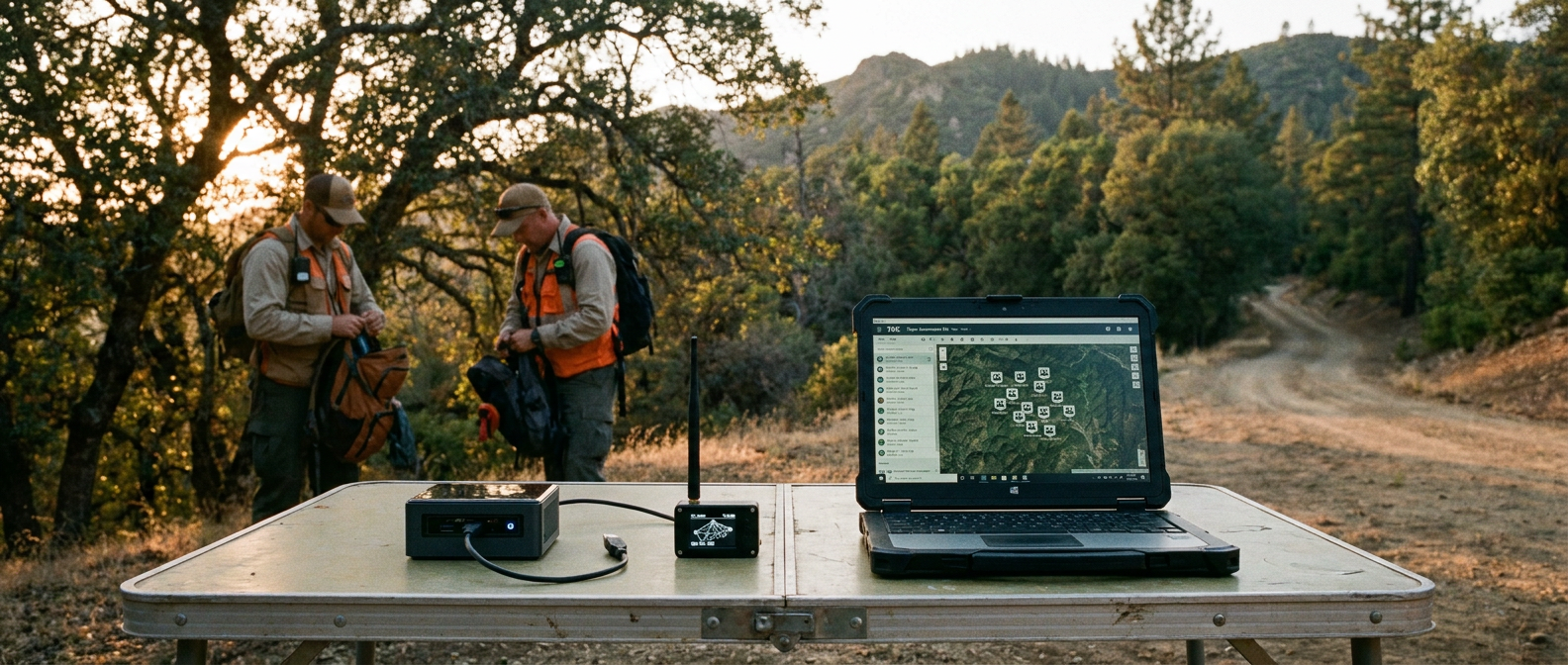
loraTAK at a SAR base camp — folding table at a forest trailhead with an appliance running loraTAK, Meshtastic radio, and a rugged laptop showing every team's mesh node as a TAK contact
LORATAK · SAR BASE CAMP · MESH ON MAP loraTAK at a SAR trailhead — an appliance gateway, a Meshtastic radio, and a WinTAK laptop showing every searcher's position as a first-class TAK contact. Mesh nodes clipped to packs, no cell tower in sight.

A hundred-acre sweep.
Twelve $40 nodes.

A volunteer SAR team is sweeping a hundred-acre property looking for a missing hiker. Twelve searchers in two-person teams, fanned out across thick brush and steep terrain. The base-camp ATAK tablet at the trailhead can't reach the far side of the ridge over Wi-Fi. The handheld VHF radios are working but voice-only — base has no idea where any of the search teams actually are.

Every searcher carries a $40 Meshtastic node clipped to their pack. The team lead drops one more node at base camp, plugs it into an appliance running loraTAK, and powers the appliance off a battery. Within a minute, every Meshtastic node appears on the base camp's WinTAK map as a moving icon with the searcher's name, team color, and battery level.

The IC drops a search-sector polygon in WinTAK; loraTAK pushes a one-line summary to every mesh device in the field. The searchers see the new sector on their Meshtastic display and reroute. When a team finds sign of the hiker, they type a chat on their Meshtastic. It appears in the IC's WinTAK chat panel with the team's callsign and position attached.

No cell. No Wi-Fi. No internet. Mesh radios and an appliance.

Three things
loraTAK does well.

OUTCOME 01

Make every mesh node a TAK contact

Mesh node positions flow onto ATAK, WinTAK, iTAK, and baseTAK maps in real time as SA markers. The mesh device doesn't need any TAK awareness — it beacons its position normally, and loraTAK translates.

  • Operator-chosen icon per node — assign a team color, role, and icon to each Meshtastic user: full MIL-STD-2525C symbology, or any standard ATAK iconset. Icons reflect the role on the team, not the radio model.
  • Position liveness — keepalive beacons keep mesh markers visible every 60 seconds even when stationary radios beacon every few hours.
  • Synthetic positions — GPS-off mesh devices still appear at the gateway location so they're chat-able.
  • Telemetry on the map — battery, voltage, channel utilization, temperature, SNR all visible in TAK position details.
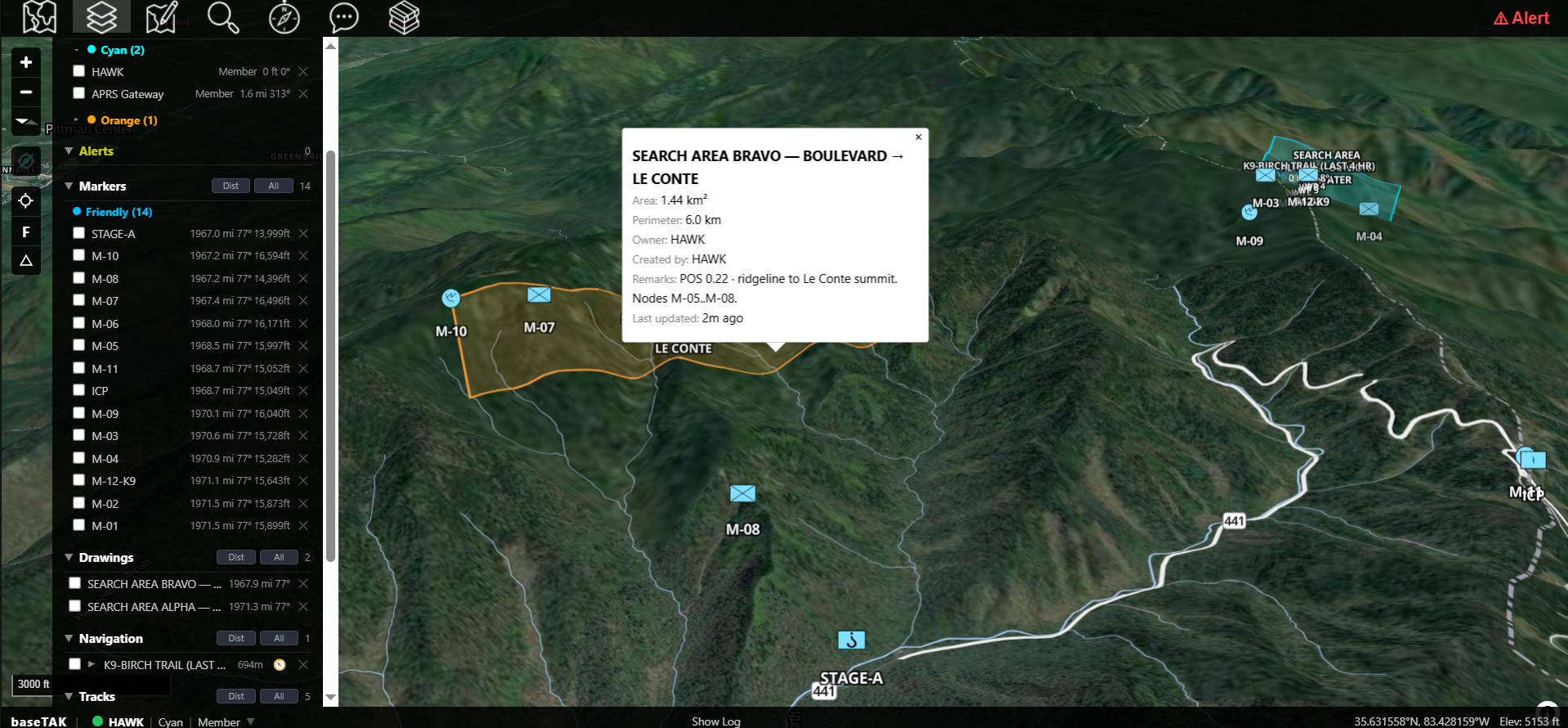
A baseTAK 3D oblique view of a Great Smoky Mountains SAR sweep — Meshtastic LoRa nodes deployed along the Boulevard and Le Conte ridgelines, search-area polygons drawn over the terrain, a callout open for SEARCH AREA BRAVO with mesh node IDs M-05 through M-08, and a left rail listing the green friendly mesh contacts and orange neutral SAR drawings
OUTCOME 02

Make mesh chat and TAK chat the same chat

Mesh chat lands in TAK chat. TAK chat lands on mesh devices. DMs work both ways.

  • Mesh primary channel → TAK All Chat Rooms — broadcast text from any mesh device reaches every TAK client on the network.
  • TAK chat → mesh — broadcast TAK chat relays to the mesh primary channel.
  • Addressable DMs — TAK users can DM individual mesh nodes by name; mesh users can DM TAK team names or callsigns.
  • Multi-part outbound to LoRa users (in development) — messages longer than the Meshtastic packet limit will split into multiple LoRa sends so the receiving mesh user gets the full message. (Current build truncates with a "…" suffix.)
  • Read receipts — TAK clients get acknowledgment checkmarks when mesh nodes confirm delivery over LoRa.
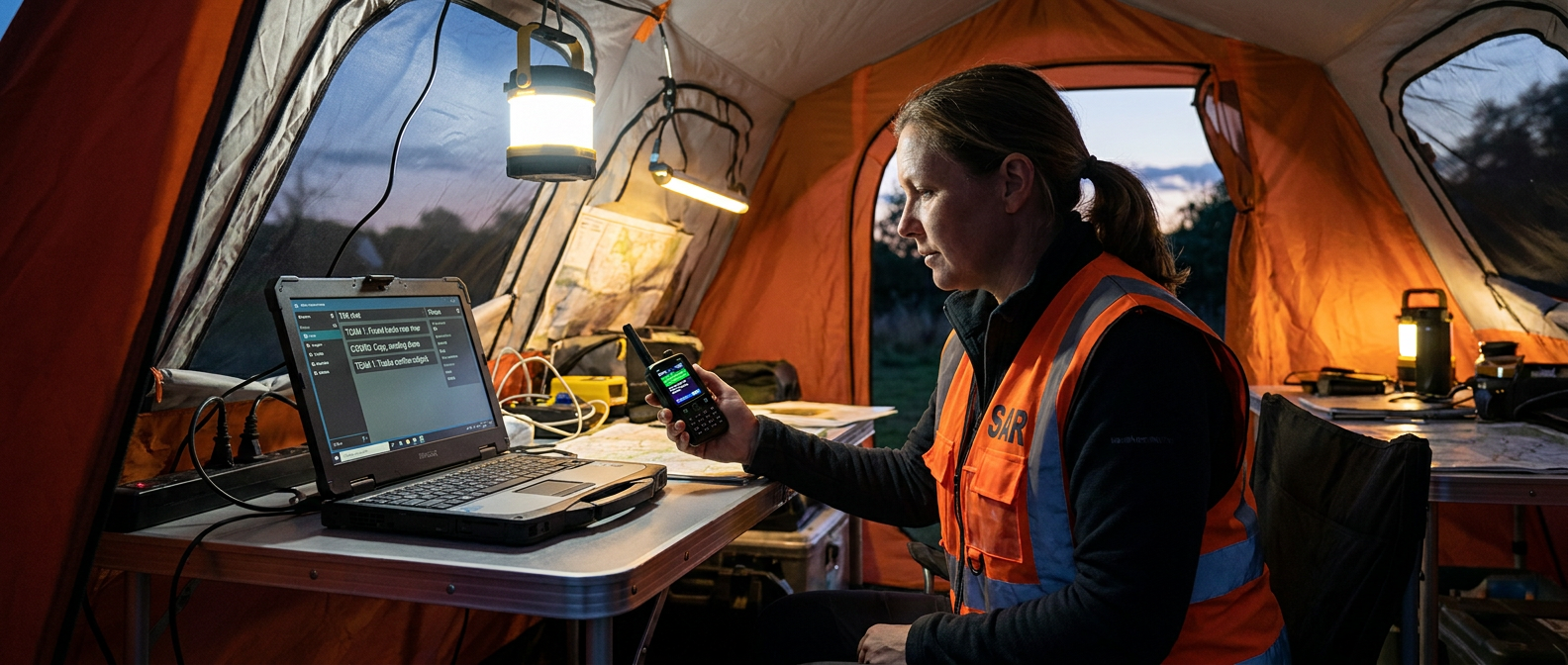
A SAR coordinator in an orange vest seated inside a base-camp pop-up tent, lit by overhead LED work light, working on a rugged Windows laptop showing a TAK chat panel and holding a Meshtastic handheld device displaying the mirrored chat thread
OUTCOME 03

Pair with digiTAK — mesh users and ham operators on the same thread

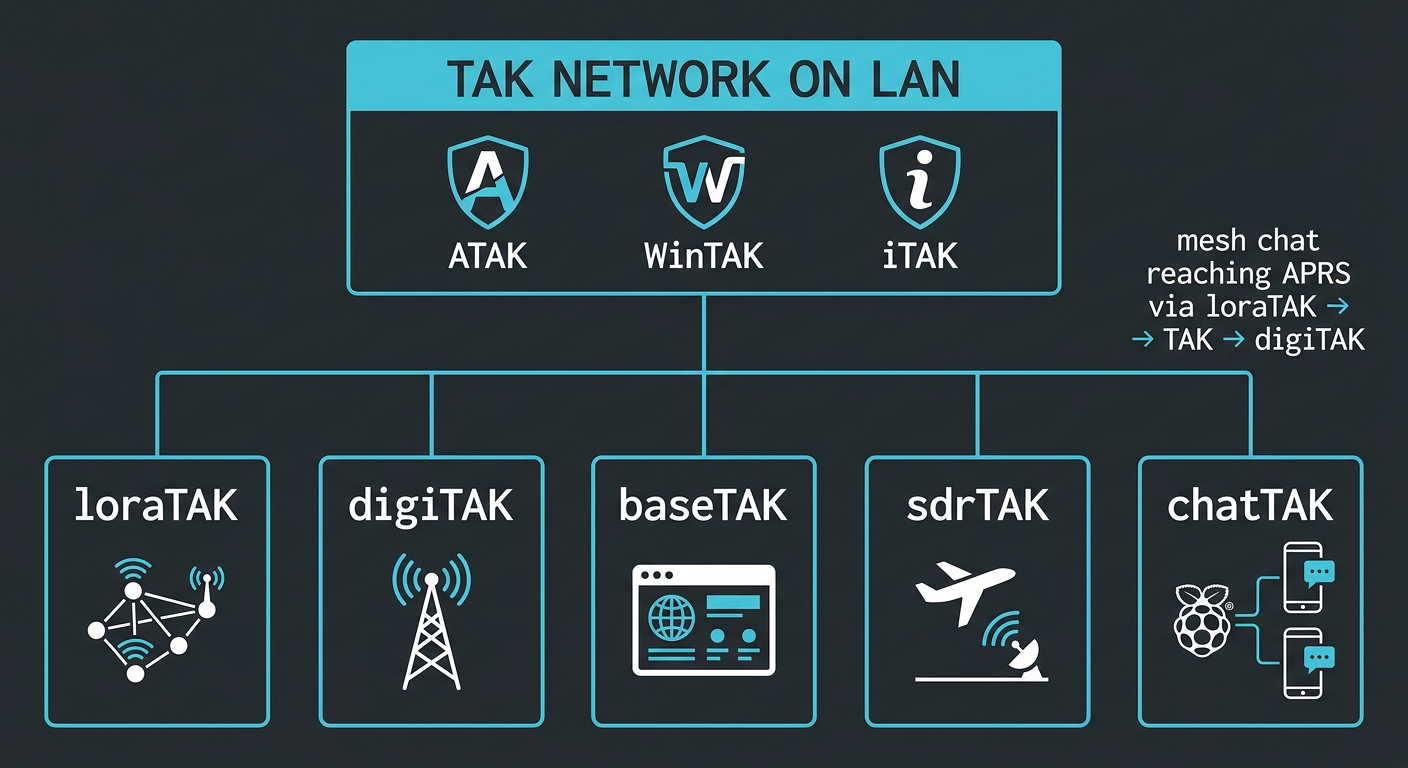
loraTAK and digiTAK are full mesh partners on the TAK network. A SAR volunteer with a $40 Meshtastic radio can DM a ham operator with an APRS handheld; a weather-station beacon on APRS sits next to a hiker's LoRa node on the same map. Every TAK client (baseTAK, ATAK, WinTAK, iTAK) sees both feeds as native contacts.

  • LoRa users chat with APRS users (and every TAK client) — a Meshtastic message routes from LoRa → TAK GeoChat on the LAN → digiTAK → APRS-IS or RF, end to end. Both products speak the standard TAK protocol, so the same chat thread carries Meshtastic users, APRS users, and TAK-client users together.
  • Run a Meshtastic gateway and an APRS gateway side-by-side with no port collisions or echo loops.
  • Multi-interface setups handled correctly — loraTAK emits on every network interface, so it works whether the node has one NIC or several (e.g. a wired LAN plus the netTAK Wi-Fi AP).
  • Drop loraTAK onto a netTAK field mesh and every appliance-node becomes a Meshtastic gateway — no LAN required.
Technical schematic in dark mode showing the TAK network on LAN at top with ATAK, WinTAK, and iTAK icons, and five xTAK product cards arranged in a row below: loraTAK, digiTAK, baseTAK, sdrTAK, and chatTAK — each connected to the shared network bar

What's in the box.

loraTAK is a bidirectional Meshtastic-to-TAK gateway. Field teams running stock Heltec, T-Beam, RAK, Seeed TRACKER L1, or Station-G2 hardware appear as first-class TAK contacts with positions, chat, and telemetry.

★ Choose loraTAK when

A hundred-acre sweep. Twelve searchers. No cell tower in sight. Hand each one a $40 mesh radio; their position lands on the IC's map within a minute. No cell. No tower. The team on the map.

Runs on netTAK's
free standalone networking.

loraTAK runs on netTAK Standalone — the free networking foundation for the xTAK suite, included at no extra cost. A single node becomes its own Wi-Fi access point, DHCP server, and local DNS with a built-in admin UI, so loraTAK works on a self-contained network — no infrastructure, no separate router, no mesh required. Linking multiple sites? netTAK Mesh (Wi-Fi HaLow, paid) is there when you want it.

Public Beta · ~32% off retail

Get loraTAK on your mesh.

Beta pricing: $39.99/device (retail $59) plus $16/yr Beta Support for updates, case designs, and Discord support — bundled in one checkout.

Join the Beta

What loraTAK needs.

Hardware
Raspberry Pi Zero 2 W or Pi 3–5 (Pi OS Legacy 64-bit), or x86 / amd64 hardware on Debian 12 or Ubuntu 24.04 · 512 MB+ RAM · Python 3.10+ · systemd
Meshtastic radio
Any model the Meshtastic firmware supports — Heltec V3, T-Beam, RAK 4631, T-Echo, Seeed TRACKER L1, station-G2. USB serial or TCP.
Control panel
adminTAK web panel (port 8443) — mobile-friendly configuration + monitoring
Licensing
30-day trial, then an offline hardware-tied activation token (Ed25519, verified offline)
Installation
Offline tarball · vendored Python deps · no network at install time
Network
A LAN — same one your ATAK / WinTAK clients are on
TAK clients supported
ATAK, WinTAK, iTAK, baseTAK — any standard TAK client
Internet
Not required · mesh ↔ TAK works entirely off-grid
Mesh firmware
Stock Meshtastic firmware · no modifications required
Future direction
Named for the LoRa layer, not a specific firmware. Architecture leaves room for Reticulum (RNS), custom Meshtastic forks, future LoRa transports.

Questions
operators ask.

Does loraTAK require modified Meshtastic firmware?

No. Stock Meshtastic firmware works. loraTAK reads the device's standard position and chat traffic via USB serial or TCP and translates it to TAK.

What if a mesh node turns its GPS off?

Silent (GPS-off) mesh nodes get a synthetic position at the gateway location with a "noGPS" marker so they're chat-able. Three independent safety checks prevent overwriting a real GPS fix if one ever arrives.

Do I need TAK Server?

No. loraTAK talks to ATAK, WinTAK, and iTAK clients directly on your LAN.

Can mesh users chat with TAK users (and vice versa)?

Yes. Mesh primary channel ↔ TAK All Chat Rooms works in both directions. Addressable DMs work too — a TAK user can DM a mesh node by name, and a mesh user can DM a TAK callsign.

What if a chat message is too long for a LoRa frame?

loraTAK auto-truncates with a "…" suffix to fit the LoRa payload limit.

Could I use a non-Meshtastic LoRa stack with loraTAK?

The shipping backend is Meshtastic. The architecture is designed to support alternate LoRa stacks (Reticulum/RNS, custom Meshtastic forks, future transports) without changing the TAK-facing surface.

Does loraTAK work with civilian (CivTAK) builds?

Yes. loraTAK speaks the same TAK protocol all builds use.

Run loraTAK on a
node you build.

loraTAK adds a Meshtastic radio over USB — the Basecamp node has the expansion to run it. The build is optional — loraTAK also runs on any Ubuntu/Debian Linux box with a Meshtastic radio on USB.

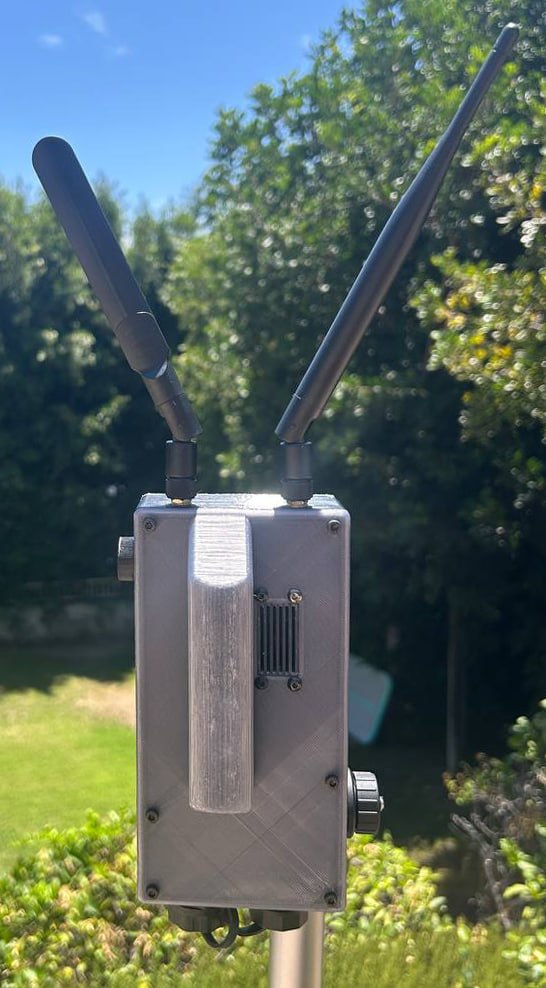
Completed Basecamp node
Reference build

Basecamp

Largest · whole-suite

Dual-USB do-everything node that runs the entire xTAK suite from a forward site.