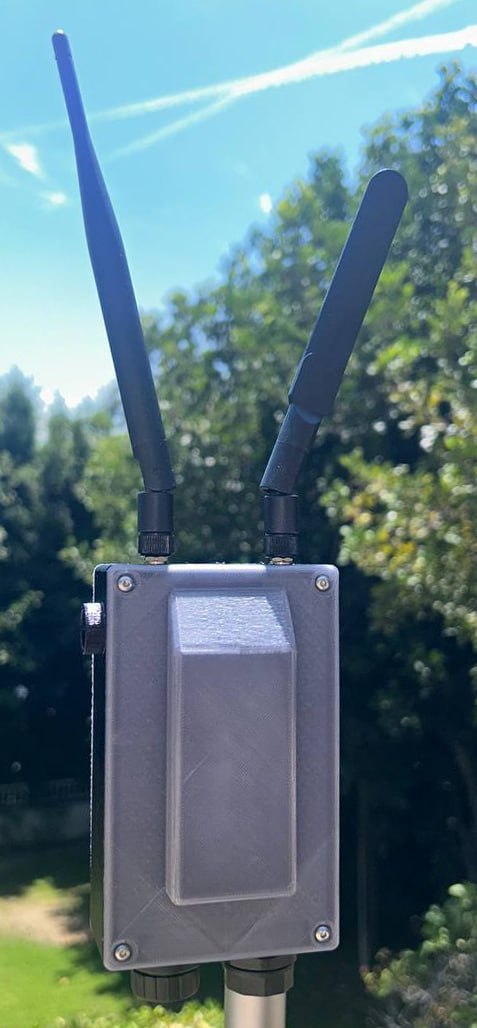
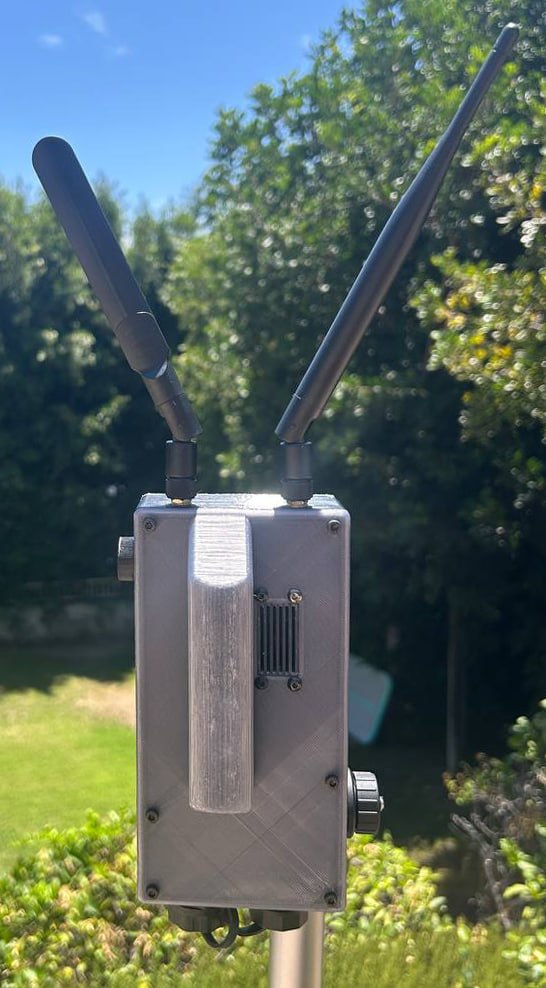
PRODUCT / NETTAK FIELD MESH · WI-FI HALOW
STATUS / PUBLIC BETA $59/device · beta
xTAK / Products / netTAK
Public Beta · available now

The self-managing mesh
for field
TAK operations.

Man-portable mesh nodes that auto-form a network — carried on the move, or fixed at a site. Operators connect over Wi-Fi like any access point. The picture stays current across miles of moving operating area — no infrastructure, no internet, no central server to configure. Every node runs a web admin UI you reach from any browser.

NEW Push-to-talk voice. Hardware PTT from netTAK to netTAK and straight into ATAK's voice clients — one channel over the mesh, no server, no cell, no repeater. See netTAK Voice →

From $59/device · or a Mesh node with the HaLow radio included for $159 · + $24/yr Beta Support

Wildland FireMulti-day SARDeployable EmCommState / County EMTactical TrainingPublic-Safety Auxcomm
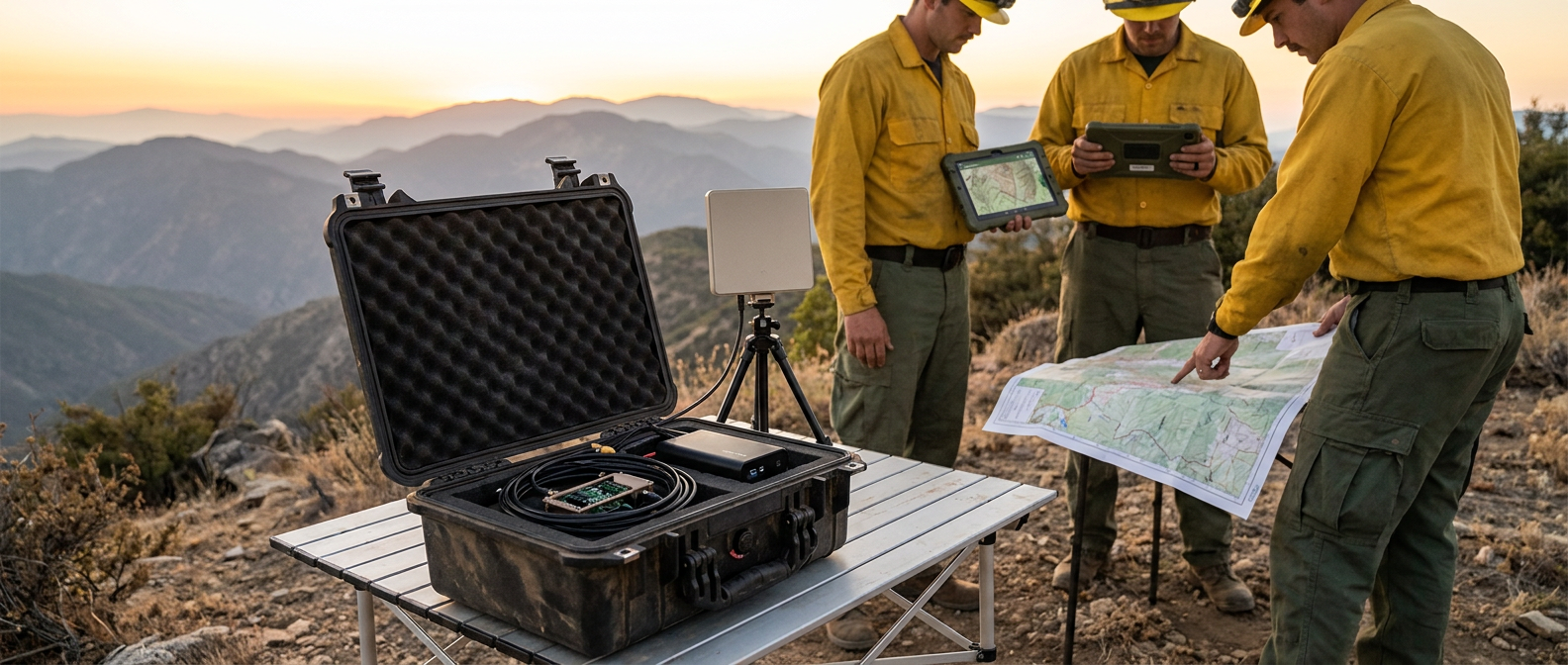
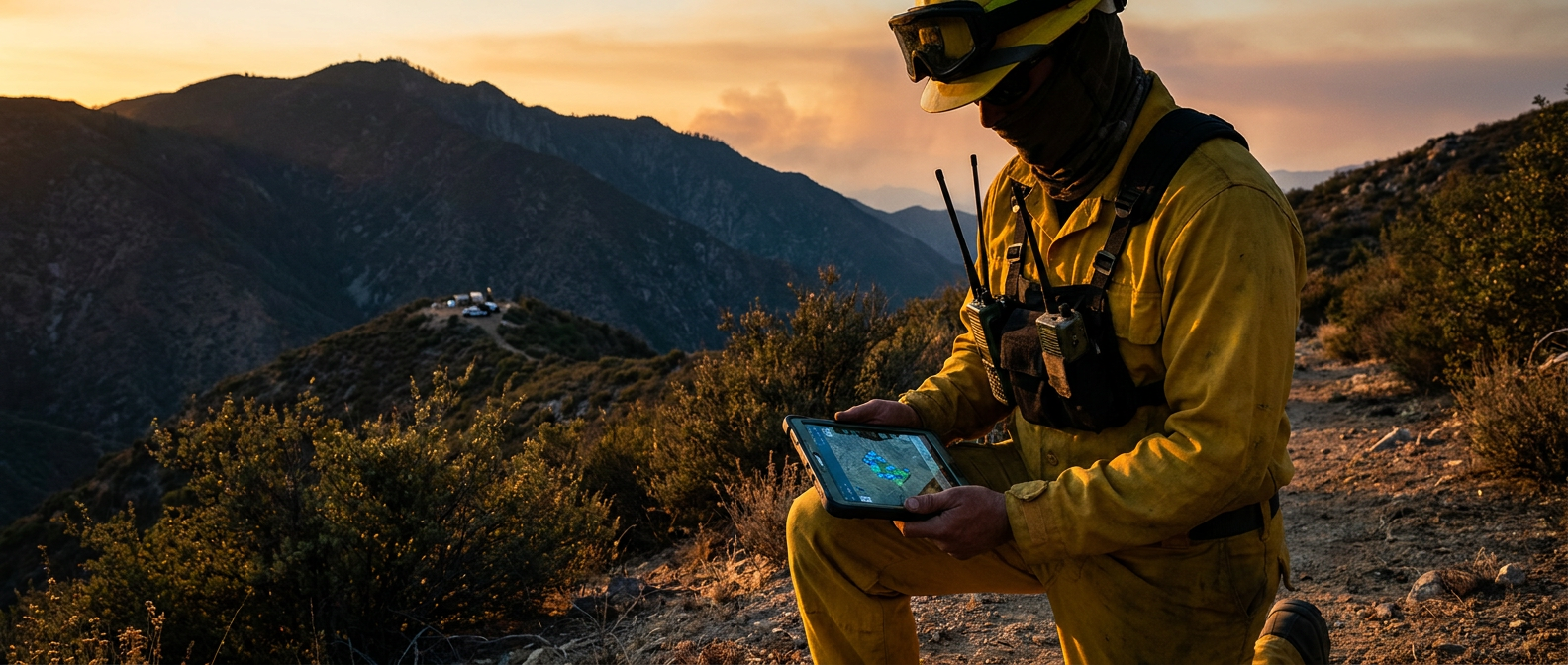
netTAK at a forward operating site — a wildland firefighter alone on a mountain ridge consulting a rugged tablet, distant wildfire smoke and mountain ranges at golden hour
NETTAK · FORWARD OPERATING SITE · GOLDEN HOUR A wildland crew at a forward operating site — netTAK at the edge of the deployment, meshing back to the IC tent across miles of terrain. The map stays current; the picture survives the hop.

Five appliances.
One self-healing mesh.
A real LAN across miles.

A wildland fire crew is operating in mountainous terrain over a five-day deployment. The Incident Command Post is at the trailhead, three squad bases are spread across the operations area, and a logistics camp is set up at the watering point two miles downhill. Cellular is dead. The radios work for voice but can't carry the IC's map. Starlink is unreliable under the canopy.

The crew deploys a netTAK at every site — five nodes in total, each in a Pelican case, each running on a 12V battery. Each node powers on and joins the mesh on its own — no central server, no keys to type, no console cable. Within a minute the cluster has converged.

Operators connect their ATAK tablets, WinTAK laptops, and iTAK phones to the closest netTAK's Wi-Fi. The IC drops a marker at the trailhead — every device across the cluster sees it within seconds, even on the far side of the watershed. When the squad logistics chief moves between camps, his ATAK tablet roams from one node to the next without losing the picture.

And the voice net rides the same mesh. A netTAK Voice node in the command tent gives the IC a hardware push-to-talk handset — keying to every other netTAK and to every dismount's phone running ATAK's voice plugin. One channel, the whole crew, no repeater and no separate radio net to stand up.

When one of the squad sites' uplink fails — antenna knocked over by a branch, battery low — the mesh re-routes around it within seconds. The squad's TAK picture stays current. Their chat lands at the IC's tent without anyone touching a config.

Five appliances. One self-healing mesh. A real LAN across miles of fire ground.
Four things
netTAK does well.

OUTCOME 01

Flash, boot, mesh — a node joins on its own

netTAK knows how to join the cluster without you. Flash the SD card, power on the appliance, watch it converge in under a minute. No central master to configure, no keys to type, no console cable. Add a node mid-operation and it just shows up.

  • Self-managing — no central server, no provisioning steps, no admin login required to add a node.
  • Self-healing — when a node drops, traffic re-routes within seconds. Operators don't notice the failure.
  • Standalone or mesh — run a single node for a remote outpost, or mesh dozens for a multi-site deployment.
  • Layer-2 transparent — standard TAK traffic crosses the mesh without translation. Multicast, broadcast, ARP all just work.
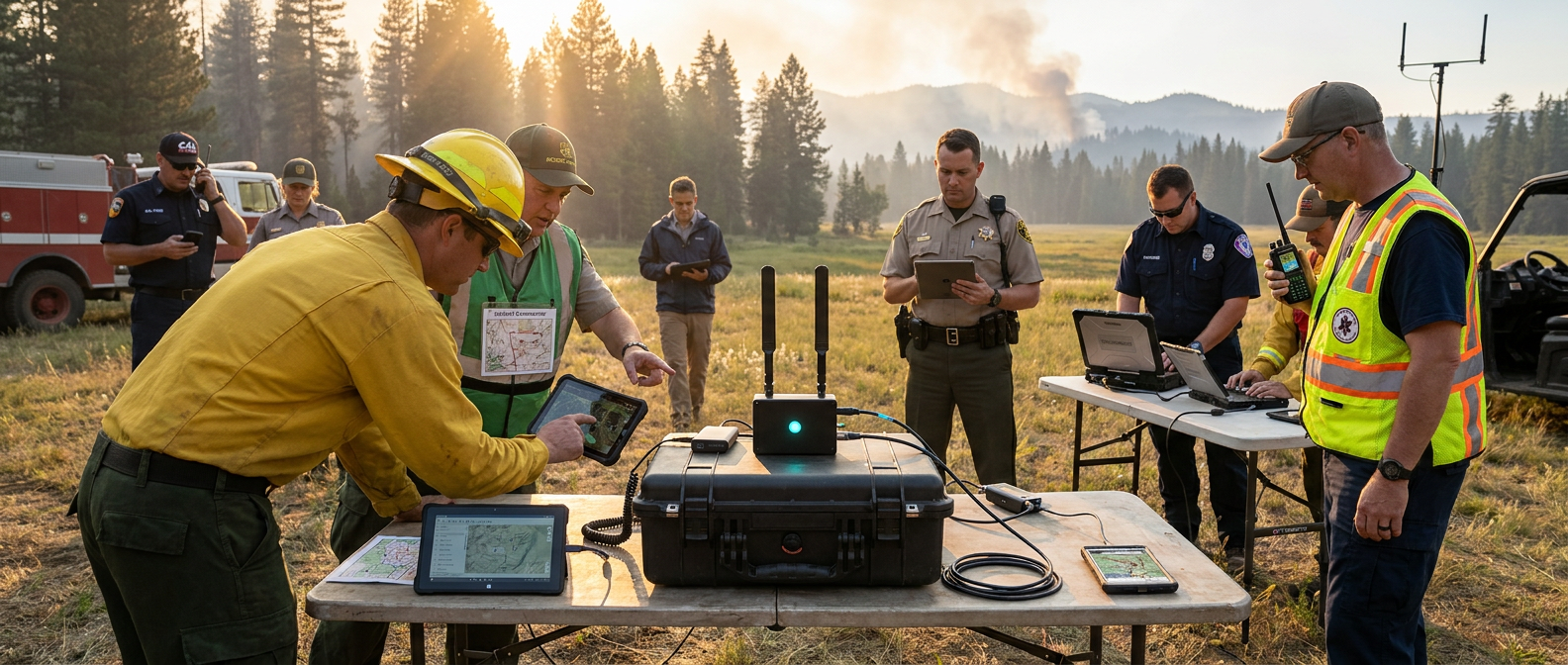
A multi-agency wildland-fire forward operating site at golden hour, with a single appliance-based netTAK appliance in an open Pelican case at center on a folding camp table; about ten public-safety operators on different devices arranged across the scene; a fire engine and antenna mast visible at the edges and a smoke column on the ridgeline
OUTCOME 02

Admin from any browser, anywhere on the mesh

Every netTAK node serves a full admin web UI over HTTPS. Open it from any browser on the network — phone, tablet, laptop — and you're in. No SSH, no console cable, no specialized tooling.

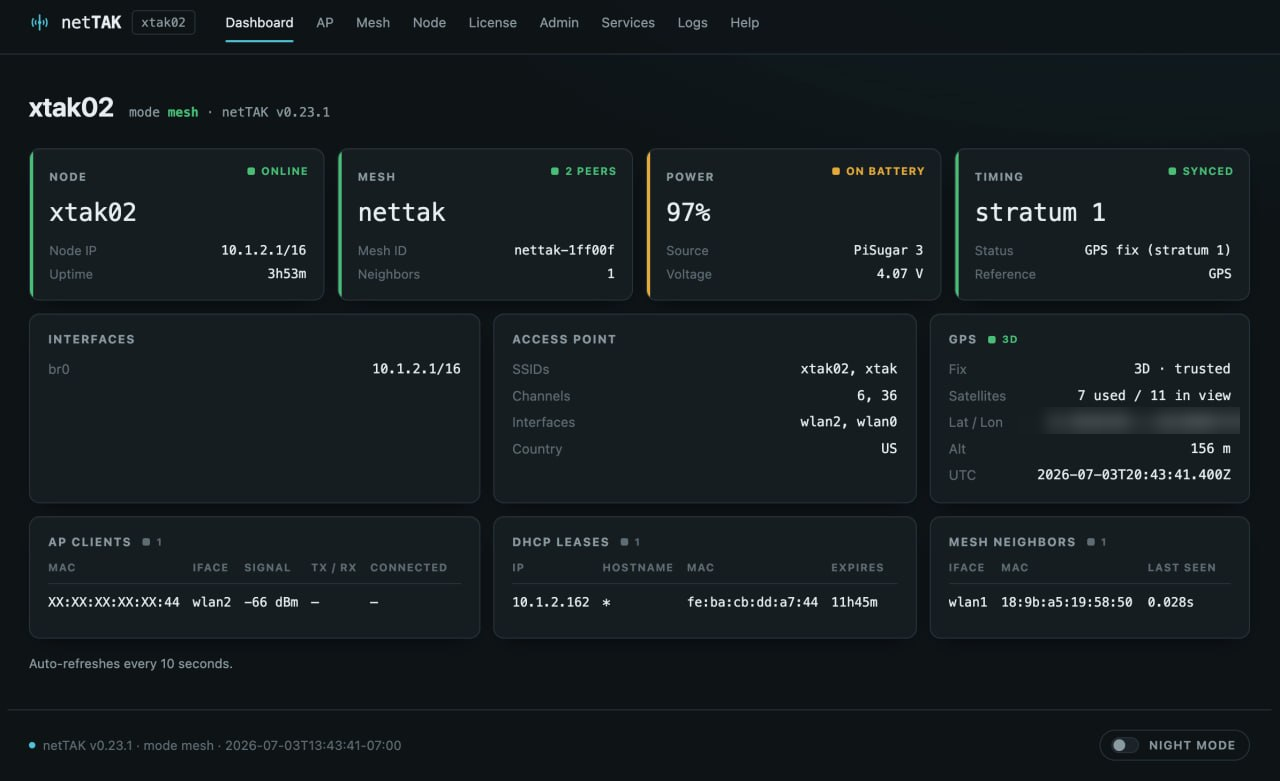
  • Live dashboard — DHCP leases, connected Wi-Fi clients, mesh neighbors, battery state, GPS — all auto-refreshing in place.
  • Per-page admin scope — dashboard, access point, mesh, node, services, logs, and admin pages keep concerns separate.
  • Cluster-wide changes from any node — edit DNS records, DHCP reservations, or the upstream resolver list from any node and they propagate to every node.
  • Service control in the browser — restart, stop, view logs for any of netTAK's managed services without opening a terminal.
  • Reboot, shutdown, halt — system-level actions exposed in the UI with confirmation gates.
The netTAK admin web dashboard in a browser — live node status (online, uptime, node IP), mesh peers, PiSugar battery power, GPS timing at stratum 1, access point SSIDs and channels, plus auto-refreshing tables for DHCP leases, connected Wi-Fi clients, and mesh neighbors
OUTCOME 03

Install in the field, no internet required

The netTAK install bundle is a self-contained ~105 MB archive with every dependency vendored inside (plus a separate ~40 MB Wi-Fi HaLow radio bundle for long-range backhaul). The install script never touches the network. Drop the bundle on a USB stick, flash a fresh appliance, run the installer — done.

  • Offline by default — every apt package, every driver, every config template is included in the bundle.
  • Re-install preserves state — admin password, TLS material, cluster state, operator-set DNS records, DHCP reservations, and GPS settings all survive a re-install on top of an existing node.
  • Soft and clean uninstall — default uninstall preserves state and credentials so a follow-up re-install picks up where you left off; reset mode wipes for a true clean slate.
  • Build your own bundle from the running cluster — the web UI exposes a one-click bundle rebuild for stamping out new nodes from your verified, in-the-field configuration.
  • Optional online updates — when you do have WAN reachability, pull security updates with one click and stay on your pinned kernel.
Wildland firefighters at a forward staging area on a mountain ridge — open Pelican case holding an appliance-based netTAK on a folding table, two firefighters consulting rugged tablets, a third referencing a paper map, golden-hour mountain backdrop
OUTCOME 04

Built for the field, on hardware you can carry

netTAK runs on the Raspberry Pi, an appliance you can hold in your hand. Battery-viable, solar-viable, and quiet enough that you can leave one in a Pelican case at a forward site for the duration of an operation.

  • Palm-sized and rugged — a Raspberry Pi you can drop in a Pelican case and leave at a forward site.
  • Wi-Fi HaLow backhaul — sub-1 GHz long-range Wi-Fi. Up to ~1 km with a standard 3 dBi antenna; up to ~16 km with a high-gain directional (Yagi or panel) for ridge-to-ridge bridges.
  • Standard 2.4 GHz Wi-Fi for clients — operators connect with the phones, tablets, and laptops they already have. No special radios required on the client side.
  • USB-PD UPS hat UPS integration — live battery state in the dashboard. Plug in a USB-PD UPS hat 2, 3, or 3-Plus and you have a battery-operated node with charge visibility.
  • GPS time discipline — clocks stay synchronized across the cluster without internet. Plug in a USB or UART GPS receiver; trust it from the dashboard.
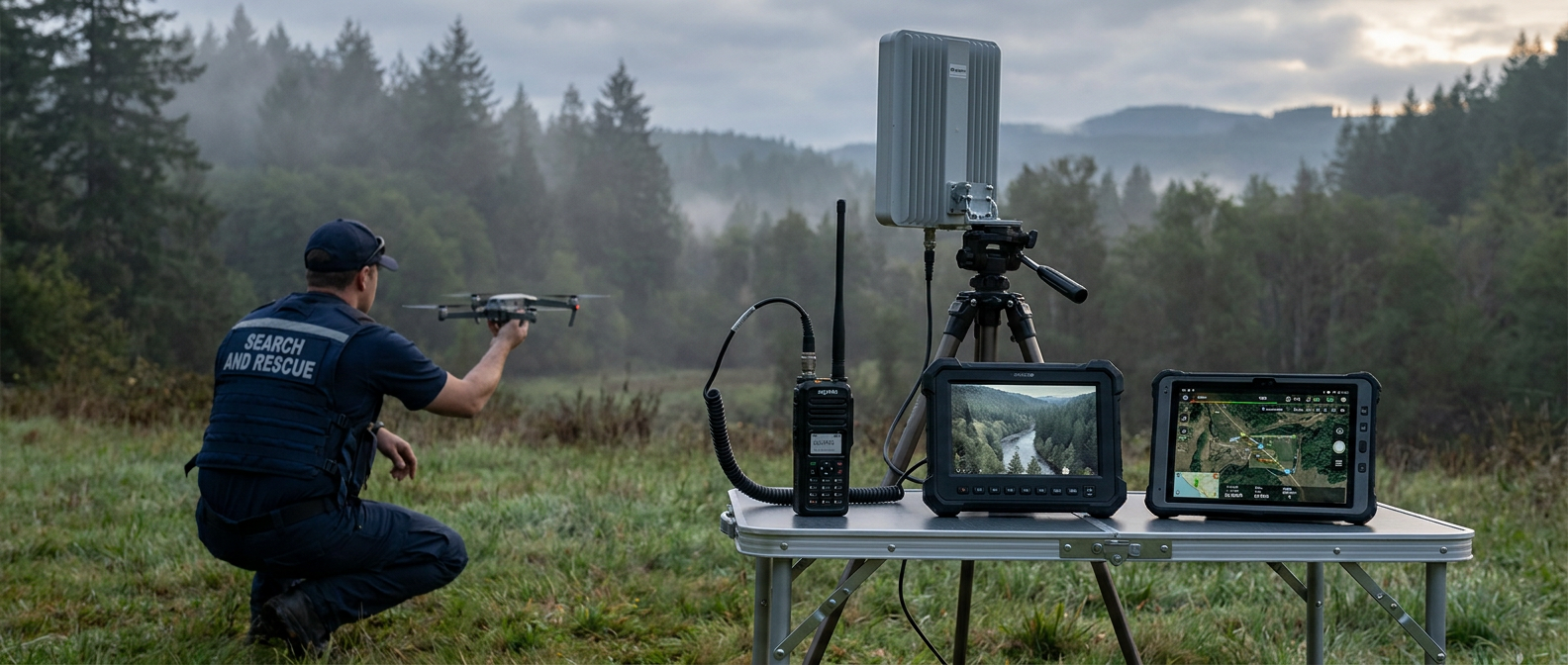
A Search and Rescue operator in a navy SAR vest launching a civilian drone from a clearing; a netTAK device on a folding table with cables routed to a small panel antenna; a rugged tablet displaying overlay data

Push-to-talk voice,
straight into ATAK.

VOICE · HARDWARE PTT ON THE MESH

A real radio that talks to the phones

netTAK Voice turns a Raspberry Pi with a Codec Zero audio HAT into a push-to-talk voice endpoint — a real mic-and-button radio. It puts your netTAK nodes and your dismounts on phones on one push-to-talk net — the same Opus-over-multicast voice channels ATAK's voice plugin uses — so netTAK nodes and ATAK handsets hear each other. No server, no cell, no internet.

  • netTAK-to-netTAK and netTAK-to-ATAK. Push-to-talk from netTAK to netTAK, and straight into ATAK's voice clients on the same channels — both directions, no gateway or translation.
  • Real radio ergonomics. A wired PTT button, mic, and speaker through a Codec Zero HAT — half-duplex, speaker auto-ducked while you transmit, just like a handheld.
  • Multi-channel, switch live. A fleet channel table (Alpha, Bravo…) flips on the fly with no reboot and no dropped audio.
  • Reaches every segment automatically. Voice binds to all of the node's interfaces at once — Wi-Fi AP, wired, and HaLow mesh — and adapts as links come and go.
  • Self-checking. The engine supervises its own audio pipeline and publishes a live health signal — a green/red Voice chip on the netTAK dashboard, so you know it's up without keying up to test.
  • Runs on a node or standalone. Put it on a netTAK node (AP + mesh + voice together) or a dedicated PTT node; either way it's crash-isolated — a voice hiccup never touches the mesh.

Available now — the netTAK Voice bundle ships in your xTAK downloads; runs on a Raspberry Pi with a Codec Zero HAT. Install guide →

What's in the box.

netTAK is a self-managing wireless mesh for field-deployable TAK operations. The list below is what ships today — every capability is in the current Beta build and used by Early Adopters in active operations.

★ Choose netTAK when

You're running an operation across multiple sites with no infrastructure. You need a real LAN spanning miles. Carry a node anywhere, or fix one at a site. They mesh. Operators connect to standard Wi-Fi. The picture stays current.

The mesh becomes a full
talk · see · sense fabric.

netTAK already carries your TAK traffic — and now push-to-talk voice (above) — across the field with no infrastructure. Next, every node also becomes a see and sense endpoint on that same mesh.

SEE · LIVE CAMERA FEEDS

Overwatch
from anywhere

Plug a USB camera into any node and stream it to ATAK, VLC, or any standard viewer over the mesh. Bandwidth-aware from the ground up — dial each camera from smooth motion down to a few frames per second — so several cameras can share one network. Overwatch a gate, a perimeter, or a forward position from anywhere on the mesh.

SENSE · mmWAVE PRESENCE

A silent
sentry node

A low-power millimeter-wave radar turns a node into a silent sentry. It detects people moving — or holding perfectly still — and drops them onto your ATAK map as live contacts, automatically. Passive and weatherproof, unbothered by the darkness, heat, dust, or foliage that blind cameras and PIR sensors.

LOCATE · YOUR MESH ON THE MAP

Every node, live on your ATAK map

Every netTAK node reports its own position straight to your ATAK / WinTAK map — no extra software, no manual entry. Open ATAK and your entire mesh is laid out in front of you, live and geolocated. It's the map layer the rest of the roadmap rides on.

  • Standard CoT, nothing to install. Nodes broadcast Cursor-on-Target over the mesh, so any ATAK or WinTAK client already on your network simply sees them. Zero client setup.
  • GPS or fixed placement. A node with GPS places itself automatically; a mounted node without GPS can be pinned to a known spot in seconds — grabbed straight from your browser's location.
  • Clean map markers, not clutter. Nodes show up as proper map symbols, not fake team members in your contact list. Your roster stays real people; your map stays readable.
  • Make them yours. Choose each node's map symbol, or pick a custom icon from a built-in library — tell your gate sensor from your relay from your forward camera at a glance.
  • The foundation for everything else. The same map layer carries your mmWave contacts and camera positions, so radar hits and video feeds appear right where they are, on the map you already trust.

Each runs on the netTAK mesh you already have. More coming. These capabilities are in active development and are not yet part of the shipping Beta build — no dates promised.

Offline maps,
served from the node.

MAPS · SERVED FROM THE NODE

Your node is the map server

Each node runs an integrated map tile server (mbtileserver), set up and controlled through adminTAK. Point ATAK, iTAK, or WinTAK at a node and pull your maps straight from it — no scrambling to download imagery over the internet before an operation.

  • No pre-mission downloads. Maps live on the node, ready before you deploy.
  • Stream or cache. Pull tiles live from the node, or sync a map set to the EUD for true offline use in the field.
  • One node, whole team. A single node serves an entire team's EUDs, or just yours.
  • Managed in adminTAK. Enable the tile server and load map sets from the same panel you run everything else.
  • Any EUD. ATAK (Android), iTAK (iOS), and WinTAK (Windows) all connect the same way.

Available now — mbtileserver ships in your xTAK downloads; set it up from the adminTAK panel. Install guide →

Three ways
to start.

netTAK Mesh needs a Wi-Fi HaLow radio — one per node — and we sell it. Pick the setup that fits; set your quantity at checkout.

RECOMMENDED · INCLUDES THE RADIO

Join the Beta
+ HaLow radio

A device license and the Wi-Fi HaLow radio it needs, per node — everything to mesh. Quantity = number of nodes.

$159 /node
+ $24/yr Beta Support · + $15 UPS (US)
Join the Beta
SOFTWARE ONLY · NO RADIO

Join the Beta

The device license + a year of Beta Support — for teams who already have HaLow radios. Quantity = number of devices.

$59 /device
+ $24/yr Beta Support · no radio
Join the Beta
EXISTING BETA USERS

Add a license

Already in the Beta? Add device licenses to your account — just the per-device license, no new support subscription. Quantity = number of devices.

$59 /device
licenses only · no support
Add licensesrequires active Beta Support sub

Set quantity at checkout. Licenses include a 30-day free trial; radios ship from us (US only for now). Need the HaLow radio on its own? Buy the VT-USB-AH-8108 ($100) →

About the radio — VT-USB-AH-8108

  • Wi-Fi HaLow (IEEE 802.11ah) — Morse Micro MM8108 chipset.
  • Sub-1 GHz (850–950 MHz), license-free — reaches far beyond normal Wi-Fi.
  • 1 / 2 / 4 / 8 MHz channels, up to 43 Mbps — station or access-point mode.
  • USB Type-A, plug-and-play — SMA antenna (2.6 dBi omni) included.
  • WPA3, PMF, hardware AES — secure by default.

Free where it should be.
Paid where it counts.

FREE · FOREVER

netTAK
Standalone

The free networking foundation for the whole xTAK suite. A single node is its own Wi-Fi access point, DHCP server, and local DNS, managed from a built-in admin UI — so any xTAK product (sdrTAK, loraTAK, digiTAK, and more) runs on a self-contained network with no infrastructure and no mesh required. No account, no trial, no license — free forever.

PAID · $59/DEVICE

netTAK
Mesh

The self-forming, self-healing HaLow mesh across every site, with cluster-wide management. Every mesh node runs a 30-day free trial, then activates with a per-device license. Running a fleet? A site license covers unlimited devices.

Per-device license with a 30-day free trial, or a site license for unlimited devices. Pick a plan in the three options above.

Mesh needs a Wi-Fi HaLow radio — one per node, and we sell it: the VT-USB-AH-8108 ($100), included in the license-plus-radio option above.

Buying is simple: purchase → get your license → activate the device. Online in seconds, or fully offline for air-gapped sites — licenses verify on the device with no phone-home, so the mesh never depends on the internet, even to stay licensed.

Public Beta · ~40% off retail

Get netTAK running on your hardware.

Beta pricing: $59/device (retail $99) plus $24/yr Beta Support for updates, 3D case designs, and Discord support — bundled in one checkout. netTAK needs 2+ nodes to mesh.

Join the Beta

What netTAK needs.

Mesh mode
Raspberry Pi 3 / 4 (aarch64) · Raspberry Pi OS Legacy (64-bit) with netTAK's HaLow-enabled kernel — runs the HaLow batman-adv mesh
Standalone mode
Raspberry Pi Zero 2 W · Pi 3 / 4 / 5 (Pi OS Legacy 64-bit), or x86 / amd64 hardware on Debian 12 or Ubuntu 24.04 — single-node networking layer, no mesh radio required
Backhaul radio
Wi-Fi HaLow (802.11ah, sub-1 GHz) — Morse Micro chipset via USB (e.g. Vantron dongle) · pair with omni or directional antennas · range (line-of-sight): up to ~1 km with a standard 3 dBi omni, up to ~16 km with high-gain directional antennas
Client radio
Built-in 2.4 GHz Wi-Fi (802.11n) access point · optional external USB Wi-Fi for extended AP coverage
Mesh
batman-adv Layer-2 mesh over HaLow — self-forming, self-healing · dedicated out-of-band Ethernet management port (admin reachable even if the mesh is down)
Networking
Per-node HTTPS admin UI · cluster-wide DNS / DHCP · offline-first DNS
Power
Any power source — 12 V, USB-C PD, battery, or solar · PiSugar UPS adds live battery visibility on the dashboard
Enclosure
Pelican case · ammo can · 3D-printed weatherproof box · bare appliance for fixed installs
Admin
Web UI over HTTPS · accessible from any browser on the network · no SSH required
Time
Optional u-blox M10 GPS for time discipline · with no GPS and no internet, the mesh elects its own time authority
Install
~105 MB offline bundle (+ separate ~40 MB HaLow radio bundle) · all dependencies vendored · no network required at install · idempotent re-install preserves state · Install Guide →
Distribution
Signed install bundle, SHA-256 verified · downloaded from your licensed account

Questions
operators ask.

How do I get netTAK?

netTAK is in public Beta. Join the Beta — $59/device with a year of Beta Support bundled in one checkout. After purchase you get your license and a download code on-screen and by email, and you download the install bundle (SHA-256 verified) from your account. Then follow the netTAK Install Guide.

Do I have to use Wi-Fi HaLow?

No. HaLow is what gives you long-range backhaul between sites. For closer-quarters deployments you can mesh over the appliance's built-in Wi-Fi or wired Ethernet. A standalone single-node deployment works with no mesh radio at all.

What hardware do I need?

A Raspberry Pi 3 / 4 (aarch64) running Raspberry Pi OS Legacy (64-bit) for a HaLow mesh node. Any power source works; a PiSugar UPS adds live battery visibility on the dashboard. Optionally a u-blox M10 GPS for cluster-wide time discipline, and a Wi-Fi HaLow USB dongle for long-range backhaul.

Does it work without internet?

Yes — that's the design center. The install bundle includes every dependency. The reconciler renders configs locally. DNS is authoritative-local by default (no upstream resolver unless you set one). GPS keeps the cluster's clocks in sync without an internet uplink.

How is the mesh routed?

Self-managing mesh — drop a node and it joins. Standards-based wireless mesh with layer-2 transparent routing, so any TAK client connected at one node can reach a TAK client at another node without translation. Self-healing on node failure.

How do I admin a netTAK?

Any browser on the network can reach the admin UI over HTTPS. Pages for the dashboard, AP config, mesh peers, services, logs, and admin keep concerns separate. Cluster-wide changes (DNS records, DHCP reservations, upstream resolvers) propagate to every node automatically.

Can I re-install without losing my config?

Yes. Re-install on top of an existing node and the admin password, TLS material, cluster state, operator-set DNS records, DHCP reservations, and GPS settings all survive. The uninstall script has a soft mode (state preserved) and a reset mode (clean slate) — soft is the default.

Do I need a commercial mesh-router vendor?

No. netTAK is self-hosted on the xTAK Raspberry Pi node — no proprietary mesh-router to buy into, no cloud account. Your network, your data.

Run netTAK on a
node you build.

netTAK runs on every xTAK node. These reference builds are sized for the mesh — the Patrol to move with a team, the Basecamp to anchor a site.

Completed Patrol node
Reference build

Patrol

Medium · team / mobile

Battery-powered netTAK mesh node with GPS timing and external-antenna options.

Completed Basecamp node
Reference build

Basecamp

Largest · whole-suite

Dual-USB do-everything node that runs the entire xTAK suite from a forward site.